
It's often been said that if all else fails...

..
.scary stuff... 
... however you'll be happy to know that we've made it a whole lot easier than that...!
 ......................................... This Tutorial will answer any of the queries you may have had.
  We'll cover POSTING below, but consider for a moment, before you hit the keyboard...
  A few basic DO’s and DON’Ts
 when
POSTING A REPLY...

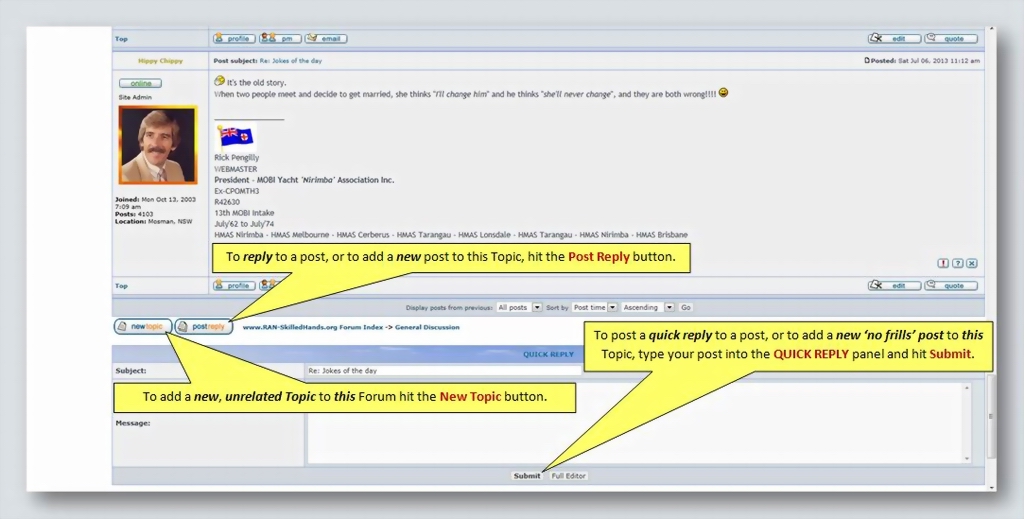
 DON'T HIT THE 'NEW TOPIC' BUTTON
 if you're simply replying to a post, or adding a new post to an existing Topic...
 DO HIT THE 'POST REPLY' BUTTON...
If a Topic
already exists on particular subject...
DON'T START A NEW TOPIC ON THE SAME SUBJECT.
As the
Admin  Team
Team, we spend hours regularly tidying up the Forums, trying wherever possible to
MOVE TOPICS TO FORUMS WHERE THEY BELONG, but please keep it in mind...
NOBODY CAN MOVE AN INDIVIDUAL POST...!  (We just have to delete them... not our favourite task...!!!)
As
Chippies,
Chippy Ned,
Seejay and
I were brought up on the theory...
"Measure Twice, Cut ONCE"... Put simply... Think it through
BEFORE you post!
Happy Posting...!!!
 ..............................
 In each
Topic,
Members posts look like the example below, you’ll notice the
Control Buttons you’ll soon be familiar with...
 ..............
 You’ll notice that the
Post Reply panel is very comprehensive, but we’ll simplify the process by
explaining the functions you’ll be using when posting...
This is the
FULL Post Reply panel...

...your computer screen
won’t let you see it all at the same time, but when you’re posting, you’ll be able to
scroll down to see the entire panel and to get to the
important control buttons at the bottom...
.......................................... You start your post by
clicking in the white panel and entering your text via your keyboard...
 ....................................
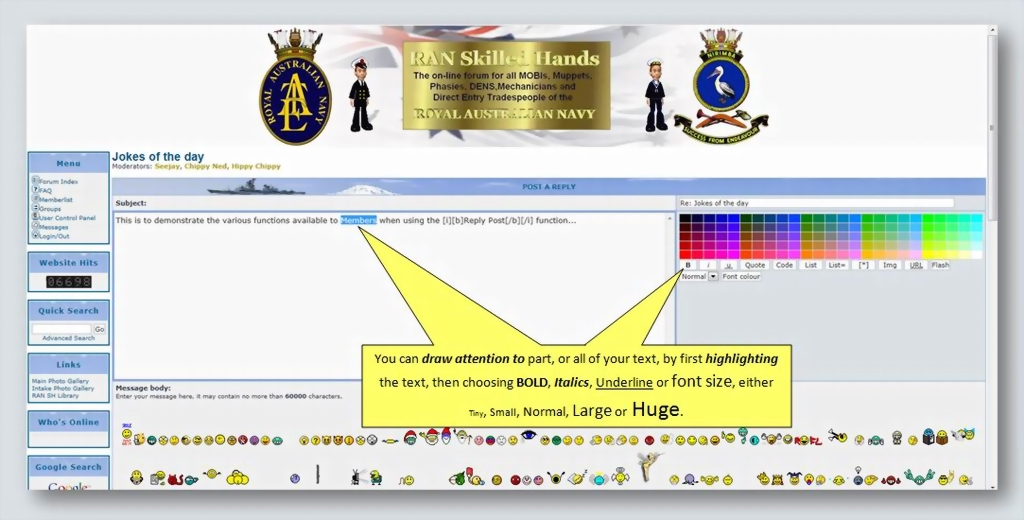
 Once you’ve typed in your post you can
embellish the way it’s going to look in a number of ways...
 ............................
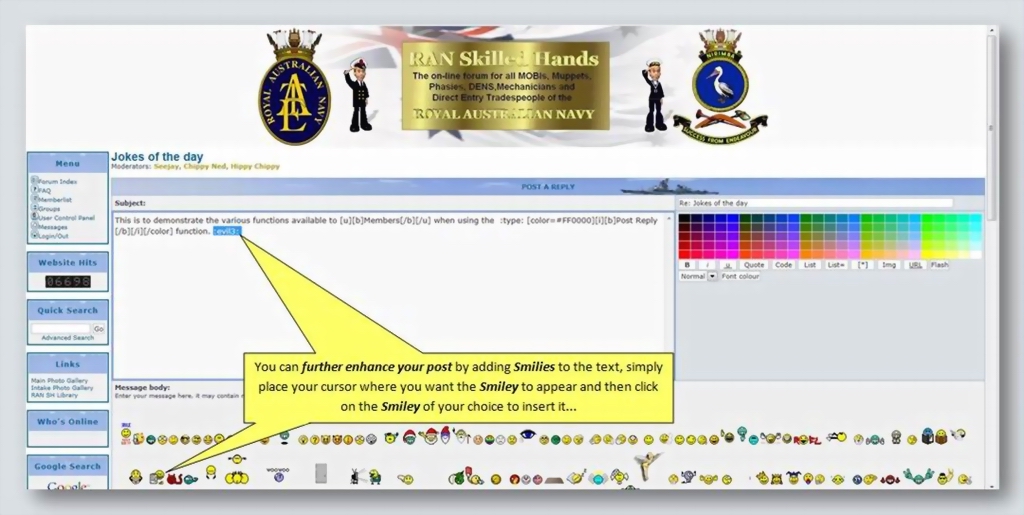
 When you’ve got the text itself looking how you want it, you can further enhance your post by adding
Smilies (Emoticons)...
 ................................................................
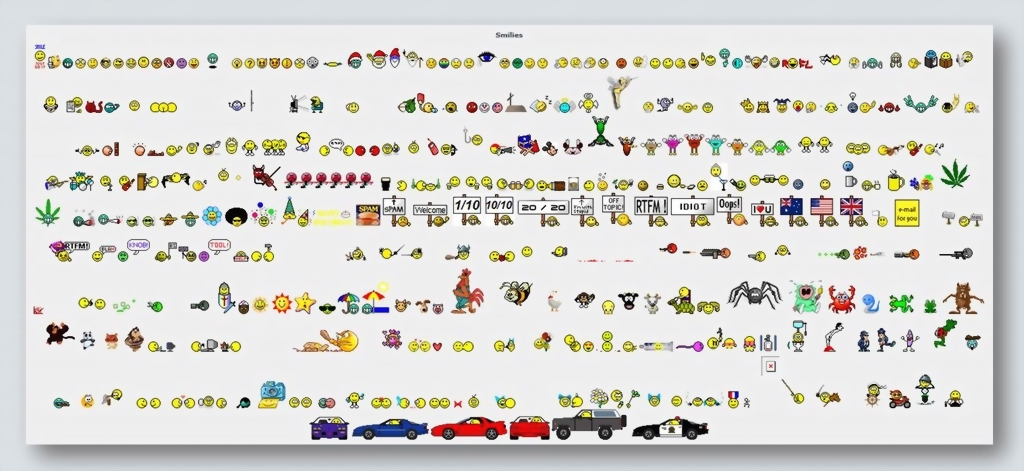
 We have a
HUGE range of 300 Smilies to choose from...

 ........................
 At various stages of preparing your post, you’ll want to see
how it’s going to look before you actually submit it to the Forum...
 .......................................................
 This is what you’ll see
after hitting the Preview button...
 ...........................................
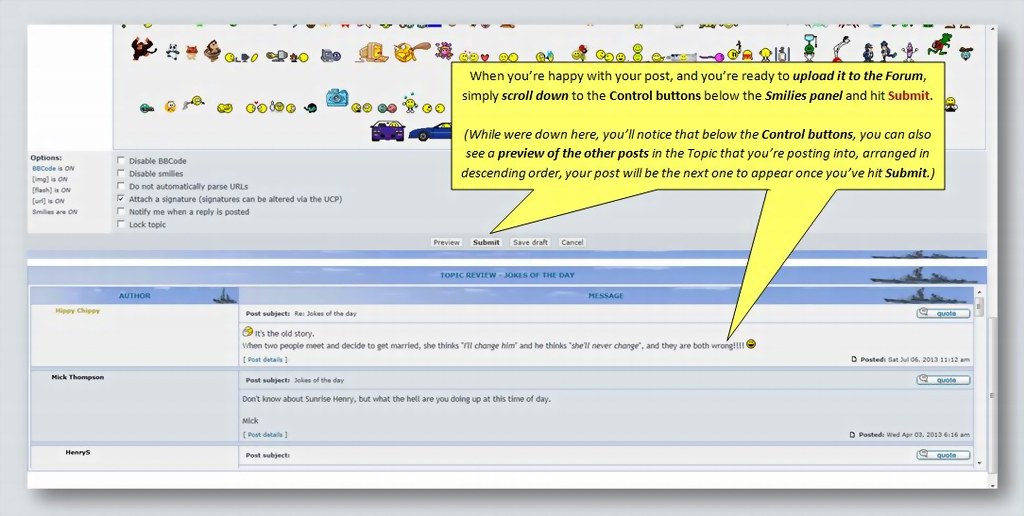
 Once you’re happy with the overall result, you’re ready to
share your creation with the world...
 ..............................................................
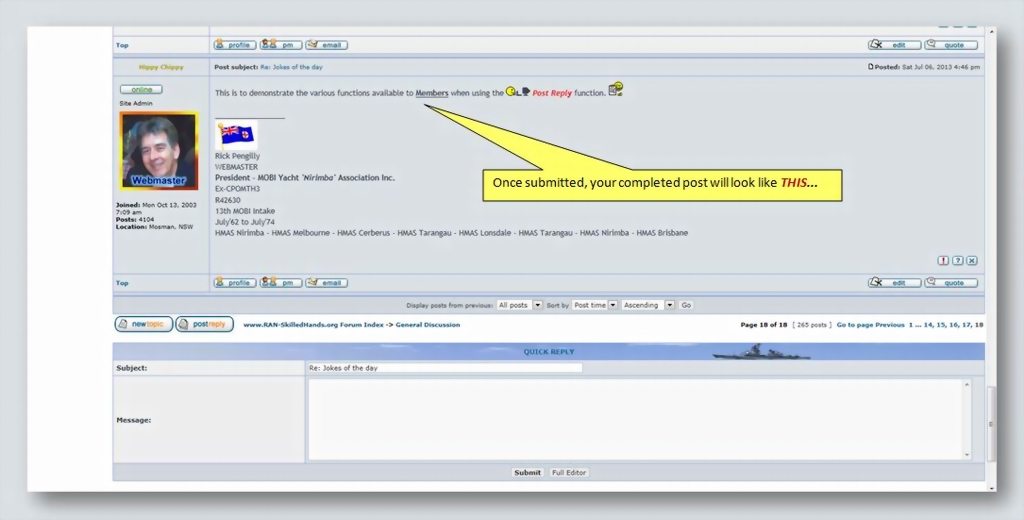
 And
VOILA..! There it is,
your completed work of art... :yea1:

 O.K., so you've worked out how to register to become a Member,
  you've chosen the Forum and Topic you're going to post into, and you're thinking about how to word your post...
  changed...
 Tutorial in the post below to walk you through the process, step by step...